
Playing around with NICE DCV Part 1

Starting the Experiment
All NICE products are free of charges on AWS which I think is a smart move to speed up adoption. So I decided to start an experiment!
My goal was to test if the DCV connection gateway and DCV session manager could setup a session with a Linux DCV server.
NICE uses the term ‘broker’ and ‘session manager’ intermittently, but I will try to call it ‘session manager’
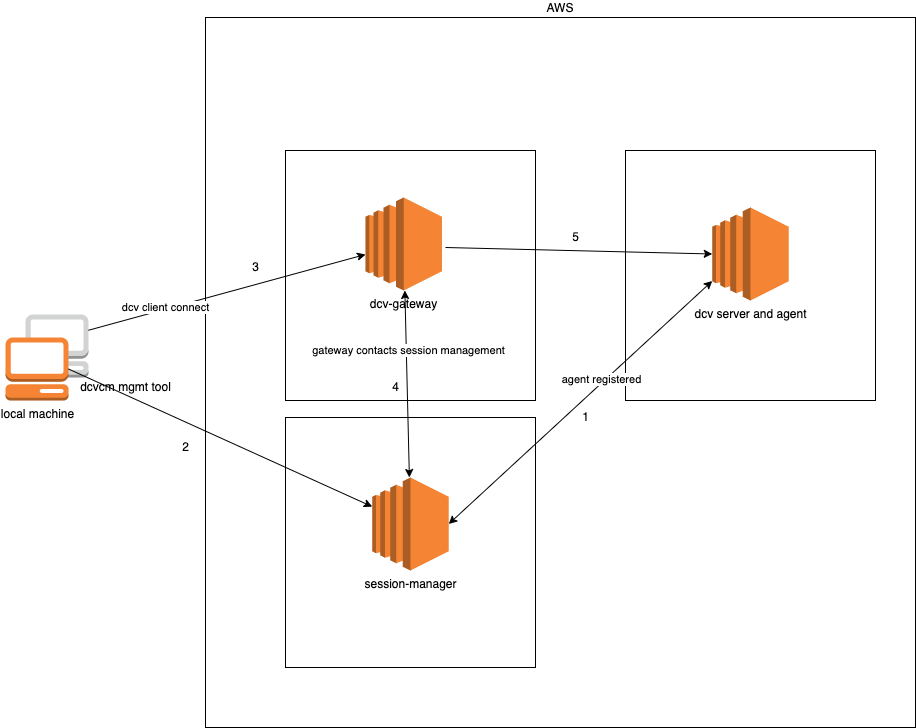
Understanding the Architecture
My understanding of how this should work:
- DCV Agent registers at DCV session manager
- Create a session with dcvcm CLI tool
- DCV client connects to gateway
- DCV gateway queries session manager
- DCV client connects to DCV server through gateway
Initial Test Setup
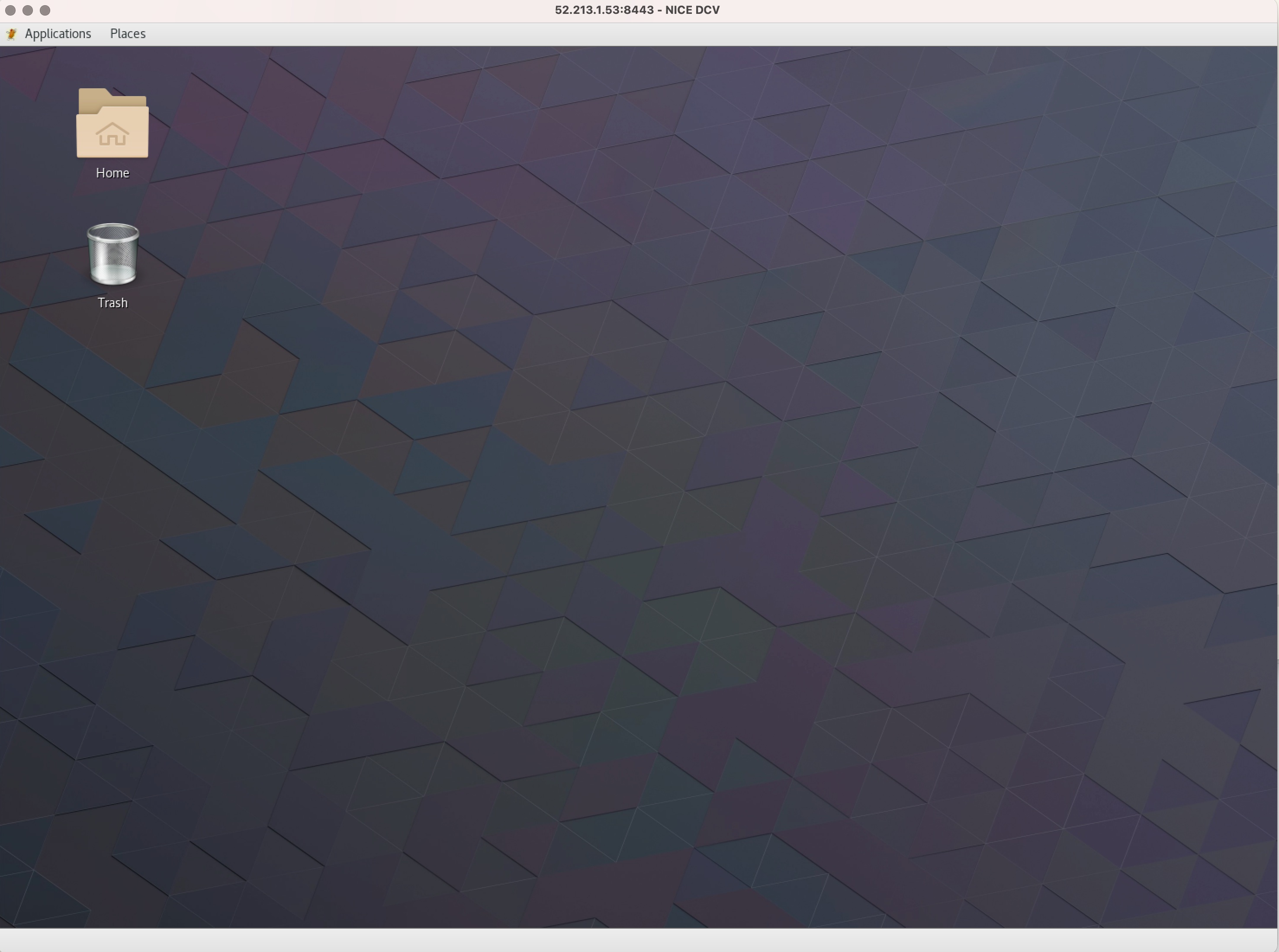
For my test I created 3 EC2 instances: the gateway, session manager and a Linux server (with X). I verified the DCV server desktop worked when creating a session directly on the machine and connecting to it with the native NICE DCV client from my computer at home.
I followed the DCV documentation for installing and setting up starting with the session manager and agent.
First Authentication Attempt
I wanted to create a DCV session with the session manager using the nice-dcv-session-manager-cli from my computer at home. I used the following config:
[output]
# The formatting style for command output.
 output-format = json

# Turn on debug logging
# debug = true

[security]
# Disable SSL certificates verification.
 no-verify-ssl = false

# CA certificate bundle to use when verifying SSL certificates.
ca-bundle = ca-bundle.pem

[authentication]
# hostname of the authentication server used to request the token

# The client ID
client-id = xxx

# The client password
client-password = xxx

[broker]
# hostname or IP of the broker. This parameter is mandatory.
url = https://3.250.99.230:8443
This resulted in:
./dcvsm  describe-sessions
DEBUG : Section 'authentication' does not contain the parameter: 'auth-server-url'
DEBUG : https://3.250.99.230:8443/oauth2/token?grant_type=client_credentials
WARNING : Validation of SSL certificates is disabled
status code: 400
ERROR : Cannot get access token. The provided credentials may not be correct
Troubleshooting Authentication
I did not understand why because the documentation explicitly states:
If you use the Broker as the authorization server, no additional configuration is required.
As I could not get it to work I decided to explicitly use Amazon Cognito for authentication, to see if I could get that to work. I followed the instructions from here.
The last step in the instructions (7: Testing and verification) completed successfully which means I could register the external authorization server with the session manager.
I updated the nice-dcv-session-manager-cli config:
auth-server-url = "https://joustie1.auth.eu-west-1.amazoncognito.com/oauth2/token?grant_type=client_credentials&scope=dcv-session-manager/sm_scope"
Unfortunately, when trying out the same API call with the CLI it still did not work:
./dcvsm  describe-sessions
DEBUG : Section 'security' does not contain the parameter: 'ca-bundle'
DEBUG : https://joustie1.auth.eu-west-1.amazoncognito.com/oauth2/
WARNING : Validation of SSL certificates is disabled
status code: 400
ERROR : Cannot get access token. The provided credentials may not be correct
Investigating the URL Issue
Then I noticed the URL for authorization (https://joustie1.auth.eu-west-1.amazoncognito.com/oauth2/), it should be the one specified in the config file right? It was different. Maybe the URL is split somewhere and rebuilt.
Anyway, I decided to hardcode the URL I thought should work in dcvsmcli/auth/authentication.py where I could trace it as being used.
I added:
protocol_host_port="https://joustie1.auth.eu-west-1.amazoncognito.com/oauth2/token?grant_type=client_credentials&scope=dcv-session-manager/sm_scope"
It worked:
./dcvsm  describe-sessions
DEBUG : https://joustie1.auth.eu-west-1.amazoncognito.com/oauth2/
WARNING : Validation of SSL certificates is disabled
status code: 200
DEBUG : Response: {"access_token":"xxxxx,"expires_in":3600,"token_type":"Bearer"}
DEBUG : Configuration loaded.
DEBUG : ConfigurationParameter.BROKER_URL : https://3.250.99.230:8443/
DEBUG : ConfigurationParameter.OUTPUT_FORMAT : json
DEBUG : ConfigurationParameter.DEBUG : True
DEBUG : ConfigurationParameter.NO_VERIFY_SSL : True
DEBUG : ConfigurationParameter.CA_BUNDLE : None
DEBUG : ConfigurationParameter.AUTH_SERVER : https://joustie1.auth.eu-west-1.amazoncognito.com/oauth2/
DEBUG : ConfigurationParameter.CLIENT_ID : xxxx
DEBUG : ConfigurationParameter.CLIENT_PASSWORD : **********
DEBUG : ConfigurationParameter.OAUTH2_TOKEN : **********
DEBUG : Describe Sessions Request: {'filters': [], 'max_results': None, 'next_token': None, 'session_ids': []}
{
    "request_id": "bcdd30ac-856a-43de-bf00-72dc766b2bb6",
    "sessions": []
}
So this worked.
In the next part of this blog post series, I will install and configure the DCV connection gateway.