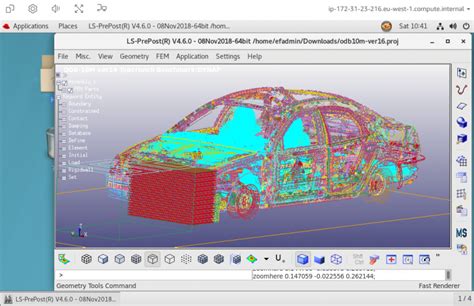
It’s solution time! NICE DCV has a very excellent support team, and after some email back and forth, it started to work.
My Mistakes
Mea culpa, I made a couple of mistakes during installation.
I forgot to configure the NICE DCV server to use the session-manager for external authentication. When a client connects to the NICE DCV server port, it needs to receive an authentication token that is generated and passed through to the DCV client.
I had misconfigured my AWS Security Group that is in use for my VPC to let the DCV client access other machines (DCV gateway, Broker) on ports other than the Agent port.
In part 1 I could get the DCV Session manager to answer with a list of sessions (which was empty at first). In part 2 I installed the DCV connection gateway.
In this part of the series, I will use the DCV client on my desktop to make a connection to a Linux DCV server through a DCV connection gateway.
In this part of our “Playing around with NICE DCV” we will install and configure the DCV connection gateway. Downloading it from the NICE site is easy peasy as well as yum installing it.
The devil is mostly in the details, also here when you start integrating this component in your architecture.
As of last year I have worked quite a bit with NICEDCV in my professional life.
NICE DCV is a 3D-capable Remote Graphics protocol server that provides a securely authenticated channel for users to setup and use a virtual desktop with 3D applications that can stay running even if no client is actually connected to it. Think of RDP (remote desktop graphics) that is standard with Microsoft Windows, but with better tunable performance because of a different way of handling things.
In a nutshell it is capable of really utilizing the graphics hardware remotely and send the data compressed to the client where it is unpacked again and presented on the viewer desktop. So it uses a ‘server’ part that is running on the remote workstation, and a ‘client’ part that the user runs on their personal desktop.
Session Manager and Connection Gateway
Since last year NICE also provides a session manager/broker and connection gateway specifically to be used in cloud environments, where scaling your installation up and down is of great importance. This is all about money.
Imagine spinning up hundreds of desktops with unique hostnames and IPs and users who need to connect to their authorized machine.