
Pi5 time
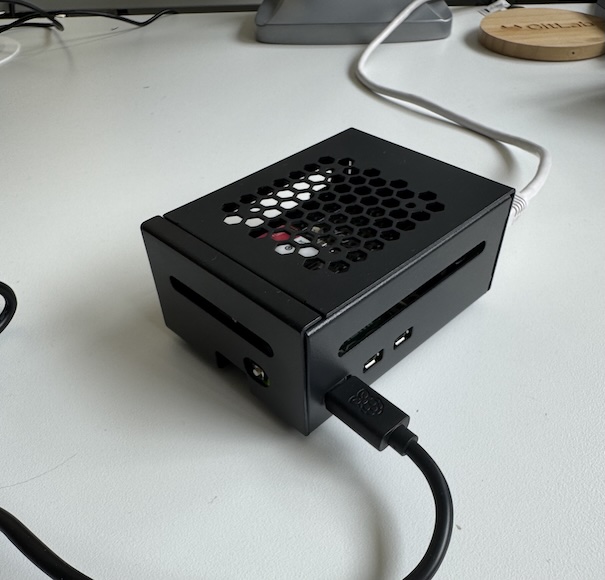
Getting Started with the Raspberry Pi 5
Recently, I acquired a Raspberry Pi 5. I have been working with several generations of Raspberry Pi’s for a while now, and I have always been impressed with the capabilities. As I am heavily involved in Kubernetes and programming, I am eager to see how the Raspberry Pi 5 will perform in those areas. I am planning on doing some hands-on testing and writing a blog post about my experiences.
Technical Specifications
First, about the specs. The Raspberry Pi 5 I purchased has a 64-bit Broadcom BCM2712 2.4GHz quad-core Arm Cortex-A76 CPU, 16 GB of LPDDR4X-4267 SDRAM, dual-band 802.11ac wireless, Bluetooth 5.0, four USB 3.0 ports, 1 Gbps Ethernet, a microSD card slot, and a mini HDMI port. More details can be found here.
Hardware Additions
I also bought a 256 GB NVMe SSD to increase the I/O performance of the Raspberry Pi 5. This will be interesting to see how it performs compared to the microSD card. To connect this SSD to the Raspberry Pi 5, I will use a special PCIe to NVMe adapter.
I also bought a heatsink and fan to ensure the Raspberry Pi 5 stays cool. All this will be plugged into a special black case to hide all the wires. And then I also bought a power supply for the Raspberry Pi 5 that can deliver up to 27 Watts.
Kubernetes Plans
I am also interested in seeing how the Raspberry Pi 5 performs with Kubernetes and how it can be used as a node in a Kubernetes cluster. I plan to run k3s on it and run several applications.
I will start with AWX, because I want to run my playbooks from a central server. I am also planning on running some other applications like Grafana and Prometheus.